Shiny App
And the python version using DSPy:
🔗 jameshwade.github.io/dspy-explorer/
📖 github.com/JamesHWade/d...
(You can run your own traces if you clone the app locally.)
15.02.2026 20:01
👍 1
🔁 1
💬 0
📌 0
How RLMs Work - dsprrr Interactive Demo
Try it and run your own RLM modules.
Interactive app: jameshwade-rlm.share.connect.posit.cloud
How RLMs work: jameshwade.github.io/dsprrr/artic...
Hands-on tutorial: jameshwade.github.io/dsprrr/artic...
15.02.2026 20:01
👍 0
🔁 0
💬 1
📌 0
By the way, this is a shiny app. Built with as a React frontend via posit/shiny-react, deployed on Posit Connect Cloud.
shinyreact lets you use React components as Shiny UI, great for this kind of step-through visualization.
15.02.2026 20:01
👍 1
🔁 0
💬 1
📌 0
The app replays RLM traces step by step. Watch the model search 4M characters of R package source code, execute R in an isolated process, and narrow in on a theming bug in bslib (issue #1123) across bslib, shiny, and brand.yml.
A sidebar shows how little data actually enters the context window.
15.02.2026 20:01
👍 0
🔁 0
💬 1
📌 0
Because an RLM is a dsprrr (or DSPy) module, you can optimize it. Run a teleprompter over it. Bootstrap few-shot examples. Grid search parameters. Compose it with other modules in a larger program.
15.02.2026 20:01
👍 0
🔁 0
💬 1
📌 0
"How is this different from a coding agent?" Three things:
1. Context is externalized as a variable, not verbalized as tokens
2. Sub-LLM calls are launched from code (symbolic recursion), not generated token-by-token
3. Sub-calls scale linearly with context size, because each prompt stays short
15.02.2026 20:01
👍 0
🔁 0
💬 1
📌 0
LLMs get worse as context gets longer. Context rot. RLMs fix it by externalizing context as a variable instead of pasting it into the prompt.
The model writes code to explore the data via a REPL: peek at slices, search with regex, launch sub-LLMs. Each iteration feeds results back into the next.
15.02.2026 20:01
👍 1
🔁 0
💬 1
📌 0
Coding agents can explore codebases. But you can't optimize them, compose them, or put them in a pipeline. RLMs can do all of that. They're DSPy modules, not agents.
I built a shiny app to understand how they work.
15.02.2026 20:01
👍 7
🔁 1
💬 1
📌 0

There are several limitations compared to a fully shiny app, but I'd love to hear ideas where you this might be useful for you.
jameshwade.github.io/shinymcp/
08.02.2026 19:53
👍 0
🔁 0
💬 0
📌 0
shinymcp includes a pipeline that can scaffold an MCP App from an existing Shiny app. It does this by parsing and analyzing your Shiny app code to generate the shinymcp app automatically.
08.02.2026 19:53
👍 0
🔁 0
💬 1
📌 0
The core idea is to flatten your reactive graph into tool functions.
Each connected group of inputs + reactives + outputs becomes a single tool that takes input values as arguments and returns a named list of outputs.
08.02.2026 19:53
👍 0
🔁 0
💬 1
📌 0
shinymcp swaps Shiny's JS runtime for a tiny bridge that talks to Claude Desktop. Your R functions run server-side, and results flow back to interactive widgets right in the chat window.
The same protocol is supported in ChatGPT and GitHub Copilot chat.
08.02.2026 19:53
👍 0
🔁 0
💬 1
📌 0
An MCP App has two parts: UI components that render in the chat interface and tools that run R code when inputs change.
When the tool is invoked, an interactive UI appears
inline in the conversation. Changing the inputs calls the tool and updates the output.
08.02.2026 19:53
👍 0
🔁 0
💬 1
📌 0
I built an R package that turns Shiny apps into UIs that render directly inside Claude Desktop or ChatGPT.
It's called shinymcp. Drop-downs, plots, tables all inline in the chat.
github.com/jameshwade/shinymcp
08.02.2026 19:53
👍 65
🔁 11
💬 4
📌 0
The electronic lab notebook vendors (Benchling, BIOVIA, PerkinElmer Signals) have essentially formalized the traditional workflow. Their docs/demos are a surprisingly good guide to what pen-and-paper notebooks can look like in practice.
(very curious what's driving this question)
07.02.2026 20:26
👍 2
🔁 0
💬 0
📌 0

GitHub - JamesHWade/dsprrr: Declarative Self-Improving Language Programs for R
Declarative Self-Improving Language Programs for R - JamesHWade/dsprrr
It's still early, but enough pieces are there to play around: >10 module types and optimization strategies (teleprompters). Built in bridges to vitals for evals.
Install with pak::pak("jameshwade/dsprrr")
Github: github.com/jameshwade/d...
07.01.2026 21:05
👍 1
🔁 0
💬 1
📌 0
Optimization means things like searching over prompt templates, adding few-shot examples automatically, trying different instruction phrasings, all driven by actual metrics.
07.01.2026 21:05
👍 0
🔁 0
💬 1
📌 0
Basic workflow starts by defining a typed signature (inputs → outputs), wrap it in a module, run it against a dataset, measure with a metric, optimize until it works.
signature("question -> answer") |>
module() |>
evaluate(test_set, metric_exact_match())
07.01.2026 21:05
👍 0
🔁 0
💬 1
📌 0
It builds on the existing R ecosystem:
- ellmer for LLM calls
- vitals for evaluation
- tidymodels patterns for optimization
dsprrr is the glue that ties them into a coherent programming model.
07.01.2026 21:05
👍 2
🔁 0
💬 1
📌 0

dsprrr
Programming—not prompting—LLMs in R
dsprrr brings the power of DSPy to R. Instead of wrestling with prompt strings, declare what you want, compose modules into pipelines, and let optimization find the best prompts automatically.
# Install
pak::pak("JamesHWade/dsprrr")
# That's it. Start using LLMs.
library(dsprrr)
dsp("question -> answer", question = "What is the capital of France?")
#> "Paris"
Getting Started: Configure Your LLM
OpenAI
Anthropic
Gemini
Ollama
Auto-detect
My holiday project was building dsprrr, a package for declarative LLM programming in R, inspired by DSPy. The core idea is to treat LLM workflows as programs you can systematically optimize, not prompt strings you tweak by hand.
07.01.2026 21:05
👍 4
🔁 1
💬 1
📌 0
Thank you!!!
19.09.2025 23:57
👍 0
🔁 0
💬 0
📌 0
Introducing ensure, a new #rstats package for LLM-assisted unit testing in RStudio! Select some code, press a shortcut, and then the helper will stream testing code into the corresponding test file that incorporates context from your project.
github.com/simonpcouch/...
09.12.2024 15:02
👍 122
🔁 26
💬 3
📌 2
I’d like to learn how the boundaries of the tidyverse have changed over time. Would you consider removing a package from the tidyverse - maybe you already have?
This overlaps with @ivelasq3.bsky.social’s question I think.
26.11.2024 03:10
👍 1
🔁 0
💬 2
📌 0
Great 📦 name! Will be giving this a try for sure.
20.11.2024 00:06
👍 1
🔁 0
💬 0
📌 0
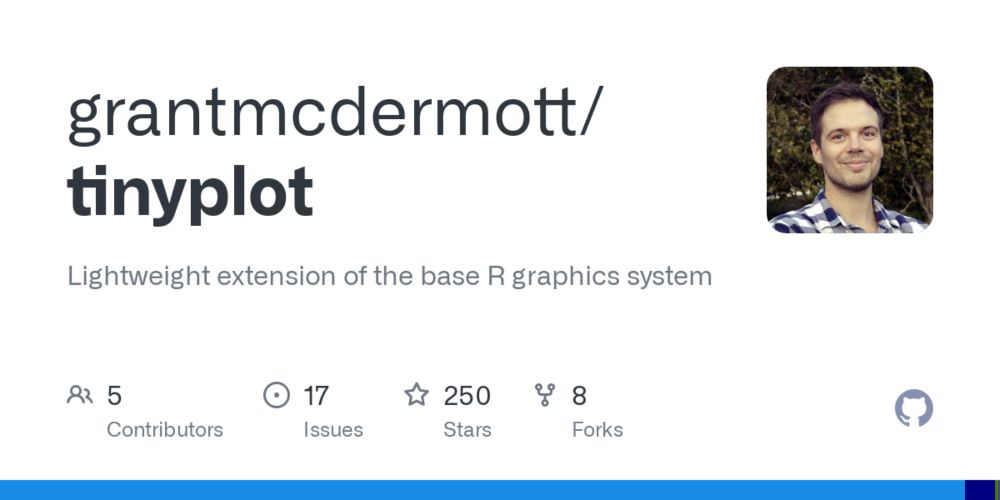
GitHub - grantmcdermott/tinyplot: Lightweight extension of the base R graphics system
Lightweight extension of the base R graphics system - grantmcdermott/tinyplot
Jumping on the #rstats "we're so back" train 🚂
Here's two fun (unrelated) things I scrolled upon tonight:
📊 tinyplot - base R plotting system with grouping, legends, facets, and more 👀 github.com/grantmcdermo...
🔎 openalexR - Clean API access to search OpenAlex docs.ropensci.org/openalexR/ar...
18.11.2024 03:02
👍 29
🔁 5
💬 1
📌 0
Would love to be included ✨
08.11.2024 23:54
👍 1
🔁 0
💬 1
📌 0
😍
08.11.2024 00:29
👍 0
🔁 0
💬 0
📌 0
Update... I just pranked myself with this 🙈
Protip: restart your session when you open a new file
06.11.2024 19:13
👍 6
🔁 0
💬 1
📌 0
Worst prank *ever*
06.11.2024 01:41
👍 19
🔁 3
💬 2
📌 2