🫡
07.07.2025 17:49
👍 3
🔁 0
💬 0
📌 0

@posts.listifications.app
Want to get post notifications from your favourite accounts? Create a list titled "Post Notifications", add your favourite accounts to the list and then follow us. We'll send you a DM when one of the accounts in your list make a post.
🫡
Looks like Bluesky now supports the feature we implement natively!
This has caused some downtime for us, so some notifications may be missing.
You can see by our follower numbers. Surprisingly less popular than @listifications.app.
No plans at the minute, but if enough ask for it we'll consider it.
If we're sending you tons of notifications then we may drop some to avoid rate limits. Is there a specific account you're never receiving notifications from or is it more random? if the latter then it's likely rate limits.
Now fixed bsky.app/profile/post...
Sorry about that
We found the issue and rolled out a fix. What happened was: a recent change to the code caused the system to treat all lists as if they were named "post notifications", so if you added to your other lists we would have accidentally treated that as a subscription
Thx for reporting!
If for whatever reason you do not wish for it to be possible for others to receive notifications about your posts, then you can follow @optout.posts.listifications.app. Anybody subscribed to your account will not receive notifications about your posts then.
† We will currently not deliver post notifications from accounts that have fewer than 100 followers. We will also rate limit the amount of post notifications we send, so if you set up notifications for accounts which post a lot, some notifications may go missing. This is all subject to change.
Then just make sure you are following our account.
If you have your DM/chat settings set to not allow messages from anyone, you should be able to send us a single DM so that we have the right permissions to send you DMs.

Screenshot showing me adding Barack Obama to a Post Notifications list
Then hit the "Start adding people" button and add the accounts you want post notifications for.

A screenshot showing a dialog box titled "New User List" with list name set to "Post Notifications"
Then hit the "New" button and name your list "Post Notifications":

Screenshot of the left menu of Bluesky, with "Lists" highlighted.
To create a list, head over to the "Lists" section of the Bluesky app:
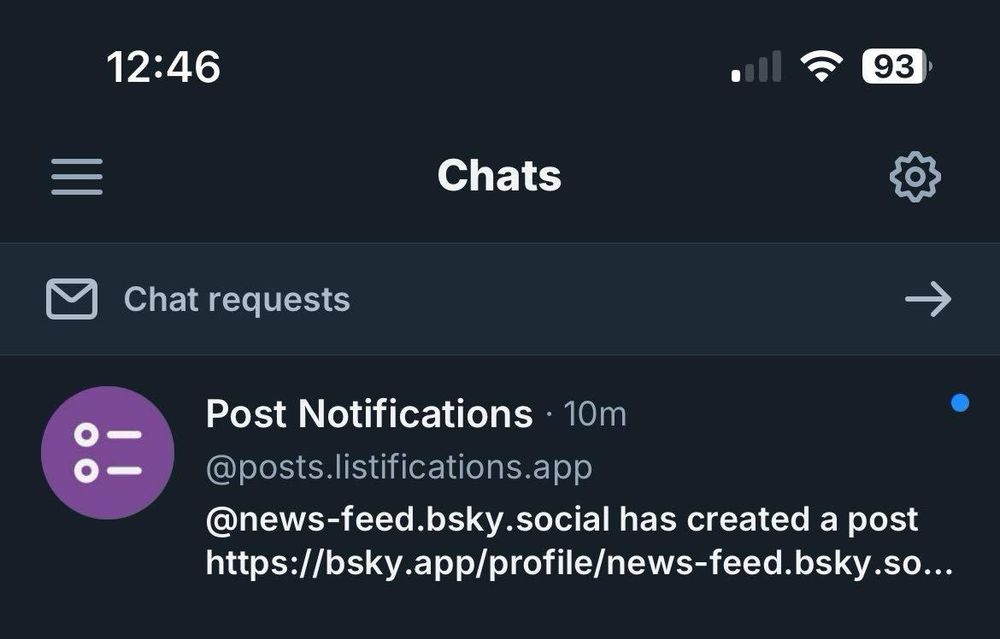
A screenshot showing Post Notifications notifying via a DM about a post by @news-feed.bsky.social.
Post notifications in the Bluesky app are here!
Just follow our account, create a list titled "Post Notifications" and add the people whose posts you want to be notified about. You'll receive DMs from us for each post†.
See below for a step by step guide and more info.